
Open PowerPoint or Google Slides with a blank deck and a deadline, and the same thing happens every time: you start “just formatting,” and suddenly an hour is gone. Fonts, spacing, alignment—everything except the message.
That’s why Notion presentation templates are having a moment.
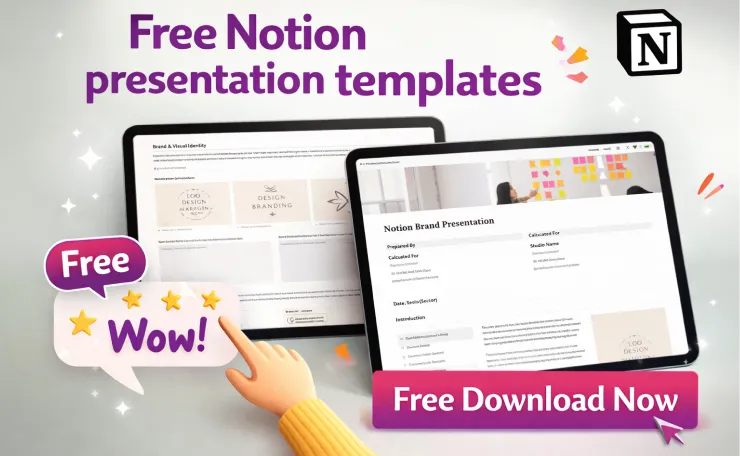
Instead of designing slides from scratch, you start with a presentation-ready Notion page that already includes the essentials—agenda, key points, supporting proof, decisions, and next steps. Notion also offers presentation-focused templates in its marketplace, so you can begin with a proven structure instead of reinventing the wheel.
This guide walks you through:
- What Notion presentation templates are (and when they work best)
- The most useful template types by use case
- Three practical ways to present using Notion
- When it’s smarter to export to PDF or Google Slides
Free Download

- 【USB-A & USB-C 2 in 1 Presentation Remote】The wireless presenter clicker features both USB-A and USB-C connections, allo…
- 【Functional Clicker for Presentations】The remote control for powerpoint presentations combines the features of page forw…
- 【Bright Red Light & Long Control Range】The usb c presentation clicker with a bright light is easy to highlight your poin…
$17.99
What are Notion presentation templates?

A Notion presentation template is a pre-built Notion page designed to help you present ideas clearly—usually with a narrative, section-based layout instead of a traditional slide-by-slide design.
Most templates include versions of:
- Title + purpose
- Agenda
- Key points (with proof, examples, or links)
- Risks, blockers, or open questions
- Decisions needed
- Next steps and action items
- Resources and references
The real advantage shows up after the meeting. Your “deck” doesn’t disappear into a folder of outdated files. It stays alive—ready to update, comment on, reuse, and share.
Notion’s template ecosystem is also massive. Notion positions its marketplace as having 30,000+ templates, which makes it easier to find a layout that matches your use case and adapt it quickly.
Why people are switching to Notion for presentations
1) You build faster because the structure is done
Slides often pull you into design mode first. Notion pulls you into clarity mode.
When the structure is already set, you can focus on the work that matters:
- What’s the main point?
- What evidence supports it?
- What decision do we need?
2) Collaboration is simpler because there’s one source of truth
A deck turns messy the moment multiple people touch it. Notion keeps everything in one place—one link, one version, one home for feedback.
Notion sharing supports different access levels (view/comment/edit) and includes options like publishing a page to the web when appropriate.
3) The presentation stays useful after the meeting
This is where Notion can beat slides. A Notion page can hold the follow-up—questions, comments, decisions, owners, and next steps—so the work continues without switching tools.
Quick test: if your presentation needs to become a working document afterward, start with Notion.
Free Download

- 【FINGER RING PRESENTATION CLICKER】 Finger ring concept is unique and practical, your hand remains relatively free so the…
- 【PLUG & PLAY POWERPOINT CLICKER】 No need to install software, this remote clicker for presentation supports page up, pag…
- 【BRIGHT LIGHT & LONG CONTROL RANGE】 Bright red light that is easy to see against most backgrounds; Wireless range of pre…
$29.99
Types of Notion presentation templates (choose by use case)

The fastest path to a great Notion presentation is selecting a template that matches your goal. Here are the most practical types and the sections they should include.
1) Team update / weekly status presentation
Best for: team syncs, weekly reports, leadership updates
What a strong template includes:
- KPI snapshot (3–5 metrics max)
- Progress since last update
- Blockers/risks
- Decisions needed
- Next-week priorities
Pro tip: Add a TL;DR at the top. Busy stakeholders should understand the story in 20–30 seconds.
2) Notion pitch deck template (investor or internal pitch)
Best for: startups, product launches, internal funding requests
Must-have sections:
- Problem
- Solution
- Market/customer
- Traction/proof
- Business model
- Roadmap
- The ask (money, headcount, approval)
Notion also groups templates under categories like Pitch deck, which makes it easier to start with a familiar structure that stakeholders recognize.
3) Workshop/training presentation template
Best for: onboarding, internal training, coaching, facilitation
Must-have sections:
- Goals and outcomes
- Agenda
- Exercises/prompts
- Breakout notes
- Recap + action steps
- Resources/links
This format excels in Notion because participants can contribute in real-time. Instead of a one-way presentation, you get shared notes and questions in the same place.
4) Client proposal/strategy presentation template
Best for: agencies, freelancers, consultants
What it should include:
- Client objectives
- Strategy and approach
- Deliverables
- Timeline
- Pricing
- FAQs + next steps
Here’s the win: you present from the page, then turn the same page into the deliverable. No extra conversion step.
5) Portfolio/case study presentation template
Best for: designers, product teams, marketers
What it should include:
- Context and role
- Constraints
- Process
- Results/impact
- Learnings
- Visuals/screenshots
If you plan to share case studies publicly, set permissions carefully before publishing or sending links.
Free Download

- 【BRIGHT RED LIGHT】 This wireless presenter remote is with a bright red light which is easy to see against most backgroun…
- 【EASY TO USE】 Plug & play, no need to download software (For mac, you may need to complete an easy set-up first). The po…
- 【PERFECT SIZE & ERGONOMIC DESIGN】 Compact but perfect size, meeting ergonomic principle, it is comfortable to hold in ha…
$12.99
How to present using Notion (3 practical methods)

There isn’t one “right” way to present in Notion. Choose the method that fits your audience, your content, and the level of polish you need.
Method 1: Present directly from the Notion page (doc-style)
Best for: internal meetings, async teams, detailed discussions
How to make it feel presentation-ready:
- Use clear headings to guide the flow
- Keep paragraphs short
- Pull key takeaways into callouts
- Use dividers to separate major sections
This works especially well when attendees can read the page beforehand. Then your live time goes toward discussion and decisions—not reading out loud.
Method 2: Use slide-style presentation mode tools
If you want full-screen presenting with a slide-like feel, there are tools (often browser extensions) that convert headings into slide frames—commonly using rules like “Heading 1 = new slide.”
Important: Some tools only work on published pages. If your content is sensitive, don’t treat this as your default. Check access settings before you share anything publicly.
Method 3: Export Notion to PDF or Google Slides
Best for: clients, investors, conferences, offline sharing
Notion supports exporting pages to PDF, with options like page format and scale (and on some plans, exporting subpages).
Exporting is often the better move when:
- You need strict brand control
- You’re presenting on a projector or stage
- Your audience expects a traditional deck file
- You want a single attachment to email
At-a-glance decision guide
- Internal update + collaboration → present in Notion
- External audience + polished visuals → export to PDF / Slides
- Need full-screen slide navigation → presentation mode tool
Best practices to make a Notion presentation actually work
Keep it to one idea per section
Notion pages can sprawl. Tight sections keep attention.
- Aim for chunks that can be read in 20–40 seconds
- If a section has more than 7 bullets, split it
Use a storytelling framework so it doesn’t feel like a document dump
Pick one structure and stick to it:
- Problem → Solution → Proof → Next step
- What happened → So what → Now what
- Goal → Plan → Progress → Ask
Frameworks make your presentation easier to follow—and much easier to remember.
Make the “ask” impossible to miss
Every strong presentation ends with a clear ask:
- Approve a decision
- Choose between options
- Confirm priorities
- Provide feedback
- Assign owners
Add a “Decision needed” or “What I need from you” section near the end. Keep it short. Make it direct.
Common mistakes (and quick fixes)
Mistake #1: It reads like a wall of text
Fix: Convert paragraphs into bullets. Bold the key phrase in each bullet.
Mistake #2: It shares information but doesn’t drive action
Fix: Add context up front: what changed, why it matters, and what decision is required.
Mistake #3: You share the wrong permissions
Fix: Test the link before the meeting. Confirm access levels (view/comment) are correct.
Mistake #4: The page gets messy over time
Fix: Use a database for recurring updates and keep one clean “current” view.
Free Download
- 【PRESENTATION CLICKER】Presentation pointer supports Volume Control, Switch Windows, Full/Black Screen, Page Up/Down. One…
- 【USB Type C PRESENTATION CLICKER】The presenter clicker comes with a unique dual-head design, USB & TYPE-C can meet all y…
- 【BRIGHT RED LIGHT】Wireless clicker for PowerPoint presentations, easy to see against most any background, can be used to…
$15.99
Mini case studies: where Notion presentation templates shine
Case 1: A startup pitch that stays current
A founder uses a Notion pitch deck template so that traction numbers, screenshots, and roadmap updates happen fast. When it’s time to send externally, they export to PDF for a clean file share.
Case 2: An agency strategy presentation that becomes the deliverable
An agency runs a client meeting from a proposal template, captures feedback live, then converts the same page into the final strategy doc—plus tasks and owners for both sides.
Case 3: A weekly business review with built-in history
A team uses the same template every week. KPIs update, blockers get tracked, and old updates remain archived—so trends become easy to spot over time.
Quick checklist before choosing a Notion presentation template
- Does it match your goal (update, pitch, workshop, proposal)?
- Does it include a clear decision/CTA section?
- Can you reuse it weekly/monthly?
- Is it safe to share (permissions checked)?
- Will you present in Notion or export to PDF/Slides?
Conclusion: Build once, present better, reuse forever
Notion presentation templates help you move faster, collaborate more easily, and keep your presentation useful long after the meeting ends. If your priority is clarity and a single source of truth, Notion is a strong place to start.
Next step: choose one template type (team update, pitch deck, workshop, proposal) and draft your first version in 30 minutes.
Then ask yourself before opening Slides again:
Do you need prettier slides—or a clearer story?
If you tell me your use case (team update/pitch/workshop/client proposal), I’ll create a copy-paste Notion structure with section headings and prompts tailored to your audience.


1 Comment